
Published
The Ultimate Guide to Creating the Perfect Gaming Desk Setup
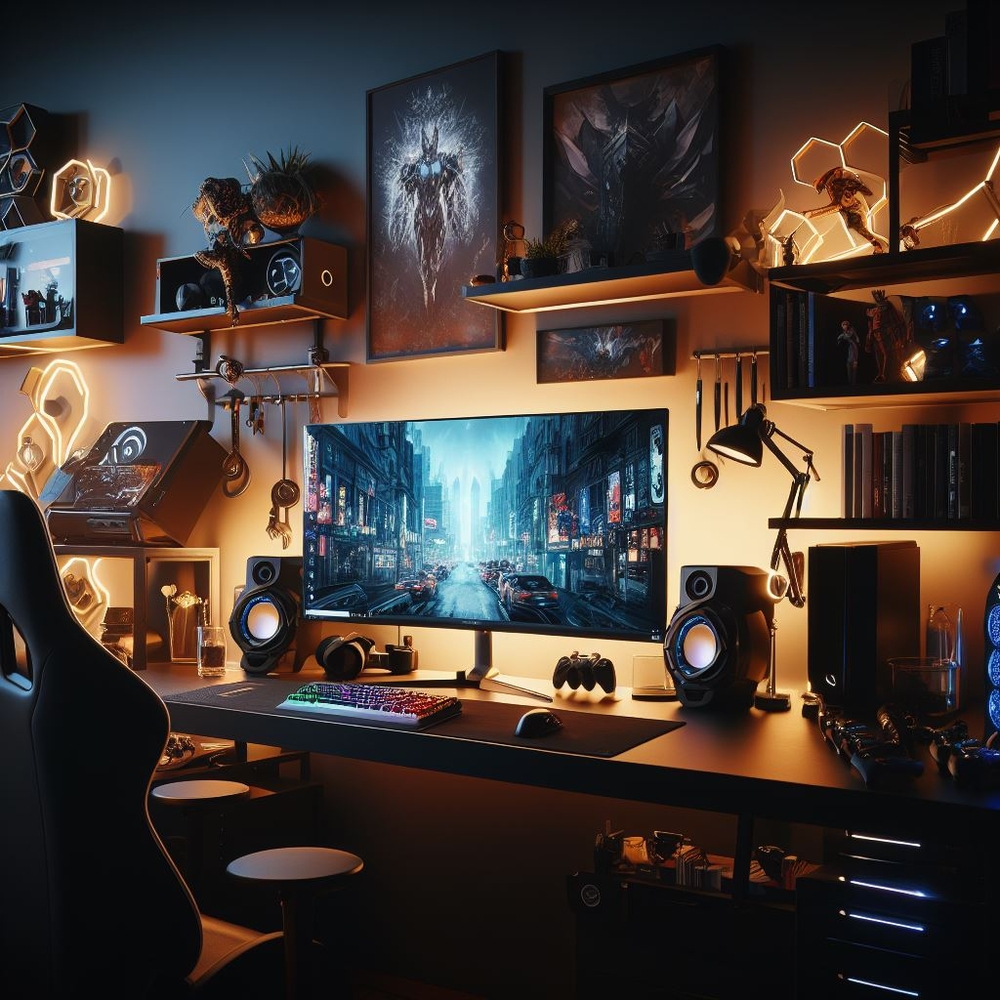
Introduction to Gaming Desk Setups
The world of gaming offers an escape to fantastical universes, challenging quests, and thrilling competitions. However, inadequate attention to your gaming desk setup can hinder your performance and even impact your health adversely. A good gaming desk setup is not just about aesthetics; it’s the backbone of an ergonomic and efficient gaming experience that can immensely enhance gameplay and improve health outcomes.
A well-thought-out gaming desk setup goes far beyond the superficial charm of LED lights and flashy peripherals. It’s a comprehensive approach that involves judiciously selecting each component to ensure optimal comfort, functionality, and wellbeing. For example, a poor layout may cause back pain or contribute to repetitive strain injuries, while a well-arranged space can result in better focus and longer, more enjoyable gaming sessions.
Dedicated gamers and newcomers alike will benefit from understanding the crucial impact a well-designed gaming setup can have. From reducing the risk of carpal tunnel syndrome to boosting in-game response times, the merits of an ergonomic layout are plentiful. Furthermore, investing time and resources in crafting the perfect gaming environment pays dividends in both your gaming prowess and overall health.
With gaming being not only a hobby but a way of life for many, having an ideal setup is no trivial matter. So, let’s embark on the journey of creating the ultimate gaming desk setup – where form meets function, and where every detail aligns to offer you a seamless and immersive gaming experience.
[image:stock: An ergonomic and stylish gaming desk setup with mood lighting, showcasing a multitiered desk with monitors, a gaming chair, and well-organized peripherals.]
Stay tuned as we delve into each aspect of creating the perfect gaming desk setup – from choosing the right furniture to organizing your space effectively, all while keeping comfort and health at the forefront.
Understanding the Basics of a Gaming Desk Setup
Before jumping into the creation of your ultimate gaming sanctuary, it’s fundamental to grasp what constitutes a gaming desk setup. A gaming desk setup is a personalized workspace designed to enhance the electronic gaming experience, comprising various components that come together to function as a cohesive unit.
At its core, a gaming desk setup includes:
- A sturdy desk to serve as the foundation for your gaming environment.
- Ergonomic seating for prolonged comfort and posture support.
- Sufficiently sized monitors that cater to your gaming needs without straining your eyes.
- A responsive keyboard and precise mouse, often with features specific to gaming.
- Sound equipment that either immerses you in the game world or keeps you aware of your surroundings.
- Cable management systems to keep your space clean and organized.
- Appropriate lighting, reducing glare and easing the strain on your eyes.
Each of these components plays a significant role in the setup, and the choice of each piece should be influenced by the games you play, the space you have, and personal preferences regarding comfort and style. For instance, a strategy gamer might prioritize monitor real estate over an ultra-sensitive mouse, while a competitive FPS player might favor a high-DPI mouse for precision aiming.
The key components of a gaming desk setup are often determined by a combination of ergonomics, technology, and personal preference. While ergonomics addresses the health and comfort aspects, technology focuses on the hardware that boosts gaming performance. Personal preference, on the other hand, dictates the thematic elements that make your setup uniquely yours.
In essence, creating a gaming desk setup is akin to assembling the pieces of a puzzle that represents you and your gaming style. Recognizing this allows for a necessary blend of form, function, and personal flair that transcends the typical desk experience and transforms it into a dedicated gaming haven.
[image:stock: Close-up of a gaming desk showing an ergonomic keyboard, mouse, and headset neatly arranged, with RGB lights providing an atmospheric glow.]
Choosing the Right Desk for Gaming
When you’re on a quest for the perfect gaming experience, the desk you choose is not just a piece of furniture; it’s a command center, a stage for your skills, and a hub for your gaming gear. Selecting the right desk for gaming is pivotal in creating an efficient and immersive setup.
Factors to Consider When Selecting a Desk
Here are some important considerations to keep in mind:
- Size and Space: First and foremost, your desk must fit comfortably in your gaming area, with ample room for all your equipment. Measure your space and anticipate what you’ll need to accommodate – from monitors to mousepads, every inch counts.
- Ergonomics: The height of the desk plays an essential role in your comfort and health. Look for a desk that aligns with your ergonomic needs or opt for an adjustable standing desk to allow for movement and flexibility.
- Material Durability: Common materials for gaming desks include wood, metal, PVC, and glass. Each has its pros and cons regarding durability, aesthetics, and maintenance. For example, a solid wood desk might be durable but could also be more expensive.
- Weight Capacity: With hefty monitors and powerful PCs, plus perhaps speakers and other peripherals, it’s crucial to ensure that your desk can hold the weight of your equipment without risking collapse or instability.
Types of Desks Suitable for Gaming
- Straight Desks: These are the traditional choice that can suit most gaming setups, providing a wide, flat surface.
- L-Shaped Desks: Great for corner spaces and those who want extra desktop real estate for multiple monitors or streaming equipment.
- U-Shaped Desks: These offer even more space but require significant room. Ideal for serious gamers who need numerous screens and devices within easy reach.
- Standing Desks: Popular for their health benefits, standing desks can help reduce the negative impacts of sitting for too long.
- Custom and DIY Desks: For those with specific needs or tight budgets, a custom-built or DIY desk can be the answer, tailor-made to suit individual preferences and spatial restrictions.
In the end, a desk isn’t just a surface; it’s the foundation of your gaming experience. It needs to be chosen with the utmost care to ensure it serves its purpose and withstands the intensity of marathon gaming sessions. The right desk will not only support your gear but also elevate your comfort and gameplay to new highs.
[image:stock: A dynamic L-shaped gaming desk setup with ambient lighting, showcasing spacious arrangements for multiple monitors and gaming paraphernalia.]
Essential Equipment for Your Gaming Desk
Avid gamers know that having the right equipment on your desk can make or break your gaming experience. From responsiveness to visual clarity, the gear you choose is integral to how you play and enjoy your favorite games.
Monitors: Size and Setup
The monitor is the window to your gaming world, determining how clearly and expansively you can dive into your digital environments.
- Screen Size: The size of your monitor should be guided by your gaming preferences and desk space. Conventional wisdom suggests a 24 to 27-inch screen for most gaming setups, offering a balance between field of view and detail without overwhelming desk real estate.
- Resolution and Refresh Rate: Apart from size, resolution (sharpness of the image) and refresh rate (how smoothly the picture moves) are key. For immersive and competitive gaming, aim for at least a 1080p resolution and a 144Hz refresh rate.
- Multi-Monitor Setups: If you wish to expand your viewing area, consider a dual or triple monitor setup. Ensure your desk can accommodate multiple screens and that your graphics card can support the additional load.
Gaming Keyboards and Mice
The tools through which you interact with your games, the keyboard and mouse, need to be highly responsive and comfortable for prolonged use.
- Mechanical Keyboards: Favoured for their tactile feedback and durability, mechanical keyboards come in various switch types that cater to different preferences of actuation force and sound.
- Gaming Mice: Look for a mouse with adjustable DPI (dots per inch) for precision and sensitivity adjustments, ergonomic design for comfort, and additional programmable buttons for executing complex in-game actions.
High-Quality Audio Systems
In the realm of gaming, sound is not just about entertainment; it is about survival. Audio cues can be the difference between victory and defeat.
- Headsets: A high-quality gaming headset provides immersive sound and clear voice communication. Noise cancellation and comfort are paramount for those long gaming sessions.
- Speakers: For times when you’re not using a headset, speakers with good bass and clear treble can expand the aural environment of your gaming space.
The right equipment doesn’t just affect the quality of your gameplay; it enhances the overall experience by aligning top-notch technology with the demands of modern gaming. These pivotal elements work in concert to deliver a gaming adventure that is not only enjoyable but also deeply engaging and competitive.
[image:stock: A gamer’s paradise with a pristine monitor setup featuring crystal-clear displays, a sleek mechanical keyboard, and a high-precision gaming mouse on a spacious desk.]
The Role of Comfort in Gaming Desk Setups
While the excitement of gaming can keep us glued to our screens for hours, comfort is the unsung hero that makes extended sessions possible. Ignoring the comfort of your gaming desk setup can lead to a myriad of health issues, from minor discomfort to chronic pain.
Importance of a Good Chair
Ergonomic chairs are pivotal because they support the spine, especially during long gaming periods. Here’s what to look for:
- Adjustable Seat Height: Ensure your feet are flat on the ground with thighs parallel to the floor.
- Lumbar Support: Proper lower back support is crucial to prevent slouching and strain.
- Tilt Mechanism: This allows the chair to tilt, giving you the ability to stretch and change posture.
- Quality Material: Breathable fabric can help in temperature regulation during intense gaming.
The Ergonomics of Desk Height and Layout
An ergonomic desk setup considers the placement of every element to minimize reach and strain:
- Desk Height: The desk should align with your elbows when seated, ensuring forearms are parallel to the ground.
- Monitor Position: Place your monitor at eye level and about an arm’s length away to avoid neck strain.
- Keyboard and Mouse Placement: These should be within easy reach, allowing your arms to form a 90-degree angle.
In conclusion, the path to dominating the digital battlegrounds is not just about skill and strategy; it’s also about maintaining an ergonomic gaming setup that can sustain your health and boost your gameplay. A comfortable gaming environment can help prevent health issues and vastly improve the quality of your gaming experience.
Comfort is not merely a luxury; it is a strategic advantage that can keep you sharp, focused, and ready for any challenge that comes your way in the gaming arena.
[image:stock: A focused gamer comfortably seated in an ergonomic gaming chair, meticulously positioned to optimize posture and reduce the risk of strain during long hours of gameplay.]
Organizing Your Gaming Station
An organized gaming station is like a well-oiled machine—it enhances performance and aesthetics. Proper organization is key to maintaining a pleasant and focused gaming environment, where each item is well-placed for functionality and ease of access.
Cable Management Solutions
Cables can quickly turn a sleek gaming setup into a tangled mess. Effective cable management is critical.
- Use Cable Ties or Clips: These help bundle your cables together and can be attached to the underside of your desk for a clean look.
- Cable Sleeves: For a more comprehensive solution, cable sleeves encase multiple wires in a single, neat tube.
- Cable Management Boxes: These can conceal power strips and excess cable lengths, reducing visual clutter.
Storage Options for Gaming Accessories
A place for everything, and everything in its place - storage solutions help you avoid losing valuable equipment and reduce desk clutter.
- Under-desk Drawers: If your desk lacks drawers, attachable under-desk options provide discreet storage.
- Shelving Units: Utilize vertical space with shelves for games, figurines, or additional hardware.
- Accessory Holders: Headphone stands, controller racks, and other holders can prevent damage and keep accessories within reach.
Remember, organization isn’t just about cleanliness: it’s about creating a harmonious gaming environment where distractions are minimized, and you can immerse yourself fully into the gaming experience. Knowing that everything has a designated place can also reduce stress levels and contribute to a clearer mindset, which is vital for high-stakes gaming scenarios.
With an organized gaming station, you can focus on what’s important—gaming—and not on the chaos that can sometimes encroach on your space.
[image:stock: A neatly organized gaming desk setup, showcasing effective cable management solutions and storage accessories that complement the overall aesthetic and functionality of the space.]
Lighting Your Gaming Desk Setup
Proper lighting is a crucial yet frequently overlooked element of a gaming desk setup. Adequate lighting not only enhances the ambiance but also plays a vital role in maintaining your eye health over long gaming sessions.
Types of Lighting and Their Benefits
Strategizing your lighting can have a holistic impact on your setup:
- Ambient Lighting: This is the general lighting of your room. Soft, diffused ambient light can reduce the strain on your eyes from the monitor’s glare.
- Task Lighting: Desk lamps or LED strips that provide focused light can be used to illuminate specific areas without creating a reflection on the screen.
- Bias Lighting: Placed behind the monitor, bias lighting can reduce the contrast between the bright screen and the dark room, easing the strain on your eyes.
How to Reduce Glare and Eye Strain
Reflections and glare can not only be a nuisance but also cause eye strain and headaches.
- Position Lights Correctly: Ensure that lights are not directly reflecting on your screen. Position the task lights to the side rather than behind you.
- Monitor Brightness and Contrast: Adjusting the brightness of your monitor to match the lighting in your room can further help in reducing glare.
- Use Matte Surfaces: A desk mat or a monitor with a matte finish can also help minimize reflections.
By investing time into your gaming setup’s lighting arrangement, you’re not only setting the stage for a more visually comfortable gaming experience, but you’re also crafting an atmosphere that can influence your mood and performance.
Imagine immersing yourself in your favorite game while being surrounded by a perfectly calibrated lighting system—a system that not only looks cool but also safeguards your vision.
[image:stock: A gaming desk emanating a warm and inviting glow as bias lighting accentuates the setup, providing both aesthetic appeal and functional eye comfort.]
Personalizing Your Gaming Space
Crafting a gaming setup that speaks to your personality is an essential part of the experience. Personal touches not only make your space more inviting but can also serve as a testament to your gaming journey and individuality.
Adding a Personal Touch with Accessories
Here’s how you can inject personality into your gaming desk setup:
- Figurines and Collectibles: Display your favorite gaming memorabilia or pop culture figures to give your space character.
- Custom Mouse Pads: Choose or create a mouse pad design that reflects your favorite game or aesthetic preference.
- Posters and Wall Art: Adorn your walls with artwork or posters from games or genres you love, which can be inspiring and invigorating.
Theming Your Setup for an Immersive Experience
Theming takes personalization a step further, by creating a cohesive look and feel.
- Color Coordination: Coordinate the colors of your peripherals and lighting with a particular theme or your favorite game’s color palette.
- Themed Accessories: Use branded or custom peripherals that are themed after a game, character, or your gaming alias.
- Matching Furniture: If possible, select furniture that complements the color scheme or theme of your gaming gear to unify the space.
Ultimately, personalizing your gaming space isn’t just about filling it with stuff—it’s about creating a zone that resonates with your passions and inspires you every time you sit down to play. This personal sanctuary celebrates your gaming achievements and memories, making every hour spent at the desk a testament to your dedication to the hobby.
Personalization of your gaming desk setup is a continuous journey, reflecting your evolving tastes and milestones as a gamer. It’s this unique, ever-developing character of your gaming space that makes it genuinely yours.
[image:illustration: A vibrant and personalized gaming setup that showcases an individual’s unique style, adorned with action figures, custom peripherals, and thematic decor.]
The Tech Behind Gaming Desk Setups
Technology is the heart of a gaming setup. The hardware you choose can greatly influence not just the quality of your gaming sessions, but the potential for future upgrades and compatibility with the latest games.
Importance of Computer Specs
Your computer’s specifications are paramount to a seamless gaming experience—here’s what to prioritize:
- Central Processing Unit (CPU): Acts as the brain of your PC, so go for a fast and multi-core processor.
- Graphics Processing Unit (GPU): The essential element for rendering visuals, ensure it’s powerful enough to handle your games at desired resolutions and frame rates.
- Random Access Memory (RAM): Opt for higher RAM to ensure smooth multitasking and better performance in memory-intensive games.
- Storage: Solid State Drives (SSDs) offer faster load times for games compared to traditional Hard Disk Drives (HDDs).
Peripheral Devices That Enhance Gaming
In addition to your core PC specs, peripherals play a critical role:
- High-Performance Monitors: Look for monitors with low response times and high refresh rates to keep up with fast-paced games.
- VR Headsets: Virtual Reality adds a whole new dimension to gaming—if your PC is powerful enough, a VR setup could be your next big addition.
- Game Controllers and Joysticks: Depending on the genre of games you play, specialized controllers like fight sticks or racing wheels can improve your control and immersion.
Technology in gaming is an ever-changing landscape. Keeping up-to-date with the latest advancements not only ensures optimal performance but also future-proofs your setup against the demands of up-and-coming gaming titles.
Invest wisely in your setup’s technology, and it will pay dividends in the form of engrossing gaming experiences and memorable victories.
And remember, it’s not just about having the best specs on the market; it’s about understanding and assembling the right components that work together to support your gaming ambitions.
[image:stock: The latest gaming tech neatly set up on a gaming desk, featuring a powerful gaming PC with RGB lighting, high-performance peripherals, and an immersive VR headset waiting on the side.]
Maintaining a Clean and Tidy Gaming Area
A clean and tidy gaming area isn’t just aesthetically pleasing; it’s also functional, helping to extend the life of your equipment and create a more pleasant gaming environment. Regular upkeep can prevent the build-up of dust and dirt, which can interfere with the performance of your hardware and peripherals.
Tips for Regular Cleaning and Upkeep
- Dust Regularly: Use microfiber cloths and electronics-safe cleaning solutions to keep dust from accumulating on your desk and equipment.
- Organize Cords: Keep cables tidy with clips or sleeves, reducing dust traps and making the area easier to clean.
- Clean Peripherals: Wipe down your keyboard, mouse, and game controllers often to prevent build-up of oils and grime from your hands.
Organizational Hacks for a Clutter-free Space
- Storage Solutions: Use drawers, bins, or racks to stow away games, accessories, and other non-essential items when not in use.
- Wireless Options: Consider wireless peripherals to minimize cables, creating a cleaner look and reducing dust-collecting spots.
- Digital Libraries: Transition to digital game libraries to reduce physical clutter from game cases and discs.
Maintaining a clean gaming area not only maximizes functionality but also contributes to a serene gaming mindset. It’s about discipline and caring for the tools of your trade — your gaming rig.
Remember, a tidy space is a reflection of a gamer who values precision, both in-game and out. Regular cleaning shouldn’t feel like a chore, but rather an integral part of the gaming lifestyle that helps you perform at your best.
[image:stock: A pristine and organized gaming setup post-cleanup, illustrating the satisfaction and calmness of an uncluttered space, ready for another session of intense gaming.]
Upgrading Your Gaming Setup
Progressing through levels and unlocking achievements isn’t just for in-game; it applies to your gaming setup as well. Knowing when and how to upgrade your setup can keep you ahead of the curve, ensuring a consistently top-tier gaming experience.
When to Consider Upgrading
Wise upgrades are about timing and necessity:
- Performance Shortfalls: If you’re experiencing lag or your system struggles with newer games, it’s time to upgrade.
- Hardware Aging: Components don’t last forever. Upgrades become essential as parts wear out or become outdated.
- Emerging Technologies: The release of new technology can be a good opportunity to upgrade, especially if it significantly enhances your gaming experience.
Latest Trends in Gaming Desk Tech
Staying informed of the latest trends can give you an edge and prepare your setup for the future:
- High Refresh Rate and 4K Monitors: As games become graphically intensive, having a monitor that can deliver clear and fluid images is crucial.
- Wireless Charging Desks: Some gaming desks now come with built-in wireless charging pads, allowing for convenient charging of devices.
- RGB Lighting: It’s not just for show; customizable lighting can enhance the ambiance of your gaming space and even sync with in-game actions.
Regularly assessing and upgrading your gaming setup ensures it evolves with your needs and preferences. It can reinvigorate your enjoyment and performance in gaming by introducing fresh capabilities and excitement to the experience.
Upgrading isn’t just about splurging on the newest gadgets; it’s about strategic choices that align with your gaming goals, enhance your gaming desk setup, and ultimately offer fresh ways to enjoy your favorite pastime.
[image:stock: A fully upgraded gaming workstation featuring a high refresh rate monitor, the latest in RGB lighting, and a high-performance gaming PC with visible components through a transparent case.]
Upgrading Your Gaming Setup
Progressing through levels and unlocking achievements isn’t just for in-game; it applies to your gaming setup as well. Knowing when and how to upgrade your setup can keep you ahead of the curve, ensuring a consistently top-tier gaming experience.
When to Consider Upgrading
Wise upgrades are about timing and necessity:
- Performance Shortfalls: If you’re experiencing lag or your system struggles with newer games, it’s time to upgrade.
- Hardware Aging: Components don’t last forever. Upgrades become essential as parts wear out or become outdated.
- Emerging Technologies: The release of new technology can be a good opportunity to upgrade, especially if it significantly enhances your gaming experience.
Latest Trends in Gaming Desk Tech
Staying informed of the latest trends can give you an edge and prepare your setup for the future:
- High Refresh Rate and 4K Monitors: As games become graphically intensive, having a monitor that can deliver clear and fluid images is crucial.
- Wireless Charging Desks: Some gaming desks now come with built-in wireless charging pads, allowing for convenient charging of devices.
- RGB Lighting: It’s not just for show; customizable lighting can enhance the ambiance of your gaming space and even sync with in-game actions.
Regularly assessing and upgrading your gaming setup ensures it evolves with your needs and preferences. It can reinvigorate your enjoyment and performance in gaming by introducing fresh capabilities and excitement to the experience.
Upgrading isn’t just about splurging on the newest gadgets; it’s about strategic choices that align with your gaming goals, enhance your gaming desk setup, and ultimately offer fresh ways to enjoy your favorite pastime.
[image:stock: A fully upgraded gaming workstation featuring a high refresh rate monitor, the latest in RGB lighting, and a high-performance gaming PC with visible components through a transparent case.]
Maximizing Desk Space in Small Areas
Having a spacious gaming area is a dream for many, but not everyone has that luxury. Crafting an effective gaming desk setup in a small space requires creativity and a strategic approach to maximize every inch.
Space-Saving Tips and Tricks
Optimize your small gaming space with these strategies:
- Vertical Solutions: Use wall-mounted shelves or monitor arms to free up desk space. Even vertical stands for your PC can reclaim valuable real estate.
- Folding or Extendable Desks: Consider furniture that can adapt to your space, like desks with foldable extensions or ones that can be tucked away when not in use.
- Multifunctional Furniture: Pieces that double as storage and desk space can be game-changers. Look for ottomans, cabinets, or desks with built-in storage.
Compact Desk Solutions for Small Rooms
Compact desks designed for small spaces can be both practical and stylish:
- Floating Desks: These desks attach to the wall and can be folded up, providing a work area that doesn’t encroach on your living space.
- Corner Desks: L-shaped desks fit snugly into corners, utilizing often underused space efficiently.
- Mobile Desks: Desks on wheels can be moved as needed, allowing you to repurpose the area when you’re not gaming.
Small spaces don’t have to be a barrier to an epic gaming setup. It’s not about how much space we have; it’s about how creatively we use it.
Never underestimate the power of an organized and thoughtfully arranged space. Small area or not, with the right approach, your gaming desk setup can still provide all the excitement, ergonomics, and style necessary for a top-notch gaming experience.
[image:stock: A efficiently organized gaming setup in a small space, featuring a corner desk with an overhead shelf and a sleek, space-conscious design.]
Enhancing Your Setup with Multi-Screen Displays
For gamers who crave a panoramic view of their digital battlefields, multi-screen displays are a game-changer. Enhanced field of vision, seamless multitasking, and an immersive gaming experience are just a few benefits of adding additional monitors to your gaming desk setup.
Benefits of Multiple Monitors in Gaming
- Extended Visual Real Estate: More screens mean more space to keep game maps, inventory, and other crucial in-game elements in view, without cluttering your primary screen.
- Improved Multitasking: Keep chat windows, streaming controls, and gaming forums open on secondary screens while keeping your main focus unobstructed.
- Deeper Immersion: Surround yourself with screens to create an almost VR-like experience that deeply embeds you within the game environment.
How to Organize and Align Your Screens
To fully benefit from multiple displays, proper setup is key:
- Ergonomic Placement: Position monitors so that you can see all screens with minimal head movement and eye strain.
- Alignment: Screens should be at the same height and angle to create a cohesive view and reduce bezel distractions.
- Sturdy Mounts: Invest in quality monitor stands or wall mounts capable of securely holding multiple screens.
Whether it’s for a wider field of play, keeping an eye on streaming chats, or simply enjoying web content while gaming, multi-screen displays can transform how you interact with your games and expand the scope of what’s possible within your gaming realm.
Remember, going multi-screen isn’t just about the wow factor—it’s about enhancing functionality and refining your gaming experience to match your individual preferences and needs.
[image:stock: A breathtaking multi-screen gaming setup, showing seamless alignment and cohesion across multiple displays, providing a stunning panoramic view for an ultimate gaming experience.]
The Future of Gaming Desks
As technology evolves at a breathtaking pace, so do the possibilities for gaming desk setups. Staying abreast of innovations and predicting trends not only feeds our curiosity but also prepares us for what’s coming next in the world of gaming desks.
Innovations on the Horizon
Emerging tech is set to redefine gaming spaces:
- Smart Desks: Just as phones have gotten smarter, so will desks, potentially with built-in screens, wireless charging, and voice-controlled features.
- Adjustable Ergonomics: Desks that automatically adjust to your preferred height or remind you to change posture could become commonplace.
- Integrated Virtual Reality: Expect gaming desks to incorporate more VR-ready features, like built-in VR headset docks or cable management systems designed for VR play.
Predictions for the Evolution of Gaming Setups
The gaming desk of the future might include:
- Environmental Controls: Imagine desks that can adjust room lighting or temperature based on the game you’re playing or the intensity of your session.
- Advanced Material Use: Lightweight yet durable materials will likely be adopted to create more streamlined, futuristic designs.
- Connectivity and Interactivity: Future desks may seamlessly communicate with your gaming ecosystem, from your PC to your smart home devices, enhancing the gaming experience through total environment integration.
As we look forward, it’s clear that the future gaming desk is much more than just a place to rest your computer. It promises to be an interactive platform that actively supports and enhances your gaming pursuits.
Keeping an eye on the future ensures that you won’t just be following trends; you’ll be at the forefront, ready to adapt and embrace new gaming possibilities as they emerge.
[image:stock: A conceptual design of a futuristic gaming desk setup, complete with integrated technology and sleek, modern lines, symbolizing the next evolution in gaming environments.]
Gaming Desk Setups on a Budget
Creating the perfect gaming desk setup doesn’t have to break the bank. With a bit of resourcefulness and ingenuity, you can assemble an enviable gaming station that’s as budget-friendly as it is functional.
Economical Choices for Gamers
Here are some strategies for building your setup wisely:
- Prioritize Key Components: Invest in a quality chair and a robust PC, and then look for deals or second-hand options for other elements.
- DIY Desk: If you’re handy, building your own desk can save money and allow full customization to your needs.
- Monitor Deals: Keep an eye on sales, especially during holidays or when newer models are released, as older models might get a price cut.
DIY Solutions and Hacks
Use creatively thrifty solutions:
- Repurposed Furniture: Look for non-conventional furniture that can serve as a desk, such as a sturdy dining table or a repurposed door on file cabinets.
- Homemade Cable Management: Use household items like toilet roll tubes or binder clips to manage your cables effectively.
- Decor on a Dime: Print your own wall art or upcycle old gaming gear for a personalized touch that doesn’t cost too much.
A shoestring budget doesn’t mean a subpar gaming experience. By focusing on the essentials and getting creative with what you have, you can craft a gaming setup that meets your needs without emptying your wallet.
An affordable gaming desk setup is all about clever choices and personal flair, proving that passion, not always price, is the pivotal ingredient to a satisfying gaming environment.
[image:stock: A well-organized and efficiently crafted budget gaming desk setup, exhibiting a creative blend of DIY ingenuity and fundamental gaming components.]
Best Practices for a Productive Gaming Setup
A productive gaming setup is one that balances form with functionality, giving you an environment that’s both conducive to gaming and aesthetically pleasing. Adopting best practices ensures that your space not only looks good but also promotes better gameplay and helps you stay in the zone for longer.
How a Good Setup Improves Gaming Performance
Here’s what to focus on for optimal performance:
- Responsive Peripherals: High-quality keyboards and mice with fast response times can give you an edge in competitive play.
- Proper Chair and Desk Ergonomics: Maintain good posture and avoid fatigue with ergonomic furniture that supports your body correctly.
- High Framerate Monitors: A smooth visual experience can improve your reaction times and make games more enjoyable.
Balancing Aesthetics with Functionality
Keep your setup practical while also personal:
- Cohesive Design: Choose a theme or color scheme that pleases you and stick to it, creating a seamless look.
- Functional Decor: Opt for accessories that add to the ambience while also serving a purpose, like LED strips that offer bias lighting.
- Cleanliness and Organization: A tidy space is not only more inviting but also makes it easier to focus and find what you need.
Remember, a productive gaming setup is your launchpad for every session: it should be an environment that speaks to your commitment to gaming. By following these best practices, you’re creating a space that respects both the seriousness of the game and the joy it brings to your life.
Whether it’s through the precision of your peripherals, the comfort of your chair, or the thematic coherence of your space, a productive gaming setup is a testament to the harmonious blend of dedication and enjoyment inherent in the gaming culture.
[image:stock: A gamer’s setup with a keen eye for productivity, illustrated by an ergonomic chair, well-placed peripherals, and balanced aesthetics that signify a serious yet enjoyable gaming atmosphere.]
The Social Aspect of Gaming Desk Setups
Gaming has long surpassed the stereotype of a solitary hobby. In today’s digital era, it’s a highly social activity that bridges distances and creates communities. Your gaming desk setup, therefore, can be a nexus not just for your own enjoyment but for engaging with others in the global gaming community.
Sharing Your Setup with the Community
Here’s how to become a more social gamer:
- Social Media: Share your gaming desk setup on platforms such as Instagram, Reddit, or dedicated gaming forums to inspire others and get feedback.
- Streaming: If you enjoy live-streaming on platforms like Twitch or YouTube, having a visually appealing setup can attract a larger audience and enhance viewer experience.
- Multiplayer Setups: Design your space to accommodate co-op play with friends, such as with extra chairs or peripherals for local multiplayer sessions.
Desk Setups and Streaming
As live-streaming becomes increasingly popular, consider these points for your setup:
- Quality Webcam Positioning: Position your webcam strategically to give viewers a clear and engaging view of you and your setup.
- Background Décor: A tidy and intriguing background, with gaming memorabilia or LED lighting, can add a professional touch to your streams.
- Soundproofing: Incorporating soundproofing materials into your setup helps improve audio quality for both streaming and social gaming sessions.
The social aspect of gaming desk setups is a testament to the vastness of the gaming culture—it’s an interconnected world where gamers aren’t just players but creators, community members, and influencers. By acknowledging this and creating a setup with a social dimension, you’re not just building a gamer’s haven—you’re crafting a stage that connects you to the heartbeat of the gaming universe.
It’s this social integration that makes gaming a shared experience, celebrating not only the triumphs and trials within the game but also the camaraderie and collaboration that comes from being part of the growing gaming community.
[image:stock: A streamer’s gaming setup optimized for audience engagement, complete with a well-positioned camera, an aesthetically pleasing backdrop with soundproofing panels, and personalized touches reflective of a vibrant gaming community.]
Health and Wellness in Gaming Desk Setups
The excitement and adrenaline that gaming provides can sometimes make us overlook the importance of health and wellness. However, integrating health-conscious practices into your gaming desk setup can have significant benefits, from elevated mood and performance to long-term well-being.
Stress-Reducing Strategies
Managing stress is important for both mental and physical health:
- Greenery: Incorporate plants into your setup to improve air quality and create a calming environment.
- Relaxation Tools: Keep stress balls or hand exercisers nearby to use during game-loading screens, helping to reduce tension.
- Break Reminders: Use software or smart devices to remind you to take short, regular breaks to de-stress and recalibrate.
Importance of Taking Breaks and Staying Active
Long gaming sessions require physical activity to counteract the sedentary nature of the hobby:
- Ergonomic Breaks: Engage in exercises or stretches that target gamer-specific strain points, like wrists and the lower back.
- Desk Cycle or Treadmill: These can allow for light activity while gaming, keeping your circulation going.
- Active Gaming: Incorporate gaming genres that require movement, such as dance or fitness games, into your routine.
By incorporating these health and wellness practices into your gaming lifestyle, you’re not only extending the longevity of your gaming career but also enhancing the quality of your life outside the digital realm.
Remember, gaming is a marathon, not a sprint: by taking care of your health, you ensure every session at your desk is as exhilarating as the first. Staying mentally sharp and physically robust allows you to enjoy the immersive world of gaming without sacrificing the wellness of your real-world avatar — you.
[image:stock: A wellness-oriented gaming setup featuring a desk with space for light exercise equipment, ergonomic accessories, and the refreshing touch of greenery, promoting health and well-being during gaming sessions.]
FAQ about Gaming Desk Setups
As gamers cultivate their ideal battle stations, questions abound regarding how to optimize their setups. Here are some frequently asked questions that address common concerns and provide solutions to enhance gaming desk arrangements.
What is the best height for a gaming desk?
The ideal desk height is one that aligns with your elbow height when you are seated. Generally, a height of 28 to 30 inches from the floor is comfortable for most people. If you can, opt for an adjustable desk to customize the height to your body’s needs.
How can I improve my gaming setup without spending a lot of money?
Consider simple upgrades like cable management or ergonomic adjustments. A clean, organized space with a comfortable chair can significantly improve your gaming experience. Also, DIY solutions such as a homemade monitor stand or a repurposed table as a desk can be both cost-effective and fulfilling.
Are standing desks good for gaming?
Standing desks can be beneficial for gamers. They encourage movement and can reduce the health risks associated with prolonged sitting. However, if you’re considering a standing desk, make sure you have an anti-fatigue mat and that your monitor and peripherals are at the appropriate heights to maintain ergonomic integrity.
How do I choose the right monitor size for my gaming desk setup?
Your monitor size should be based on your desk space, viewing distance, and game preference. As a rule of thumb, 24 to 27 inches is a sweet spot for most gamers. Make sure the monitor’s resolution and refresh rate are appropriate for your gaming needs as well.
Can a good gaming desk setup improve my gaming skills?
Absolutely! A well-organized desk with the proper equipment positioned for ergonomic comfort can help you remain focused and play for longer periods, potentially improving your skills through practice. Comfort can reduce the distractions and fatigue that impede gameplay proficiency.
No two gamers are alike, and therefore no two gaming desk setups are the same. By asking the right questions and finding answers that suit your individual needs, you’re on your path to creating a gaming desk setup that’s as efficient as it is enjoyable.
Keep exploring, adjusting, and learning — your gaming desk is a reflection of your journey in the world of gaming, so make it count.
[image:stock: An expertly curated gaming desk setup, complete with ergonomic equipment and informational material, providing answers to the most common setup questions and facilitating a superior gaming experience.]